How to unsubscribe from JobsCoach
1- Login
First, log in to your account using the sign in button on the menu with your email address or Facebook, Google Plus or LinkedIn account.
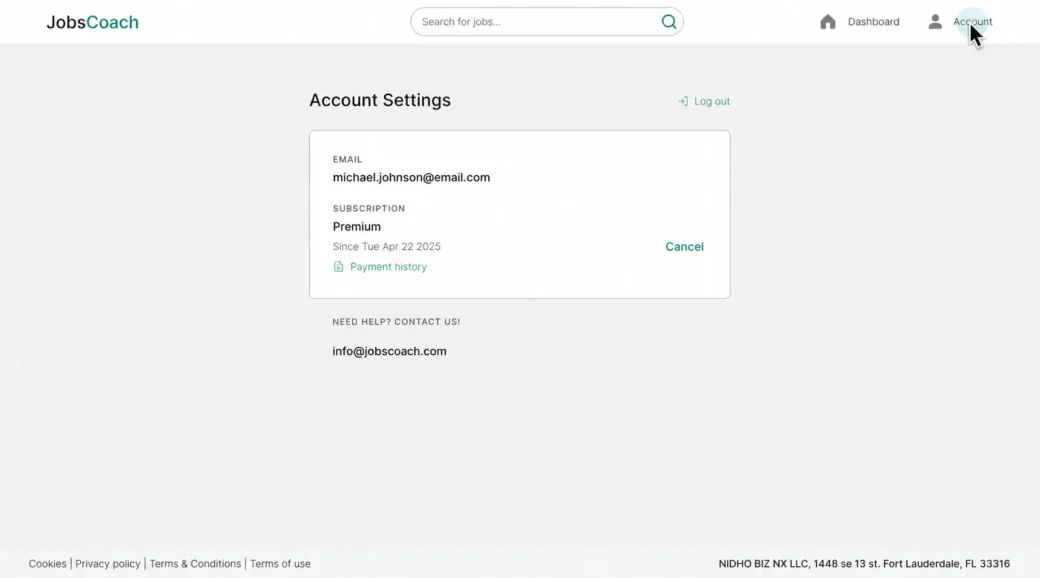
2- Account
Click on the button in the top right-hand corner to access your account overview with your information.
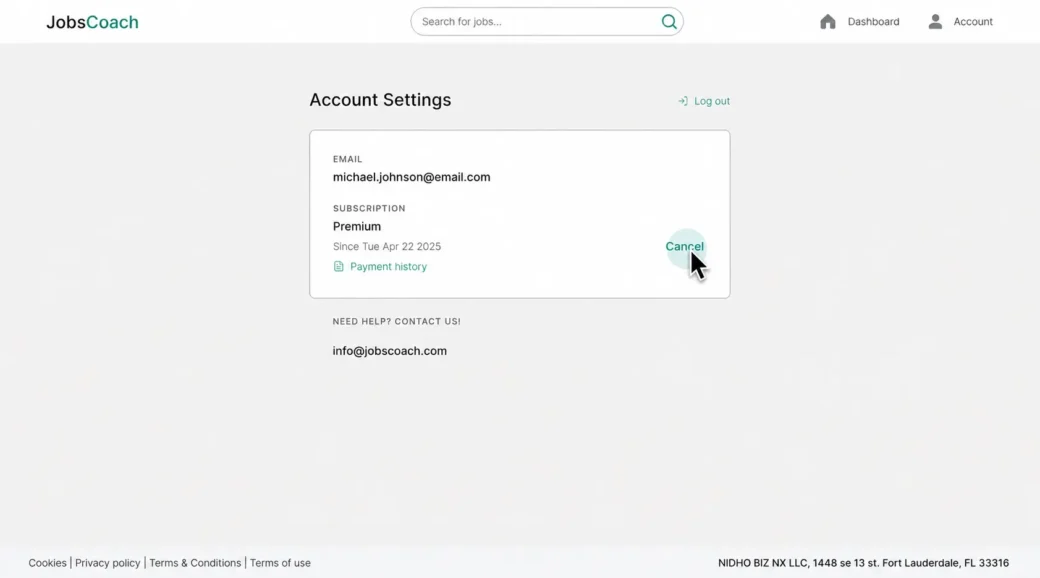
3- Unsubscribe here
On the table showing your JobsCoach subscription plan, there is the option to unsubscribe. Click on the ‘Cancel’ button to do so.
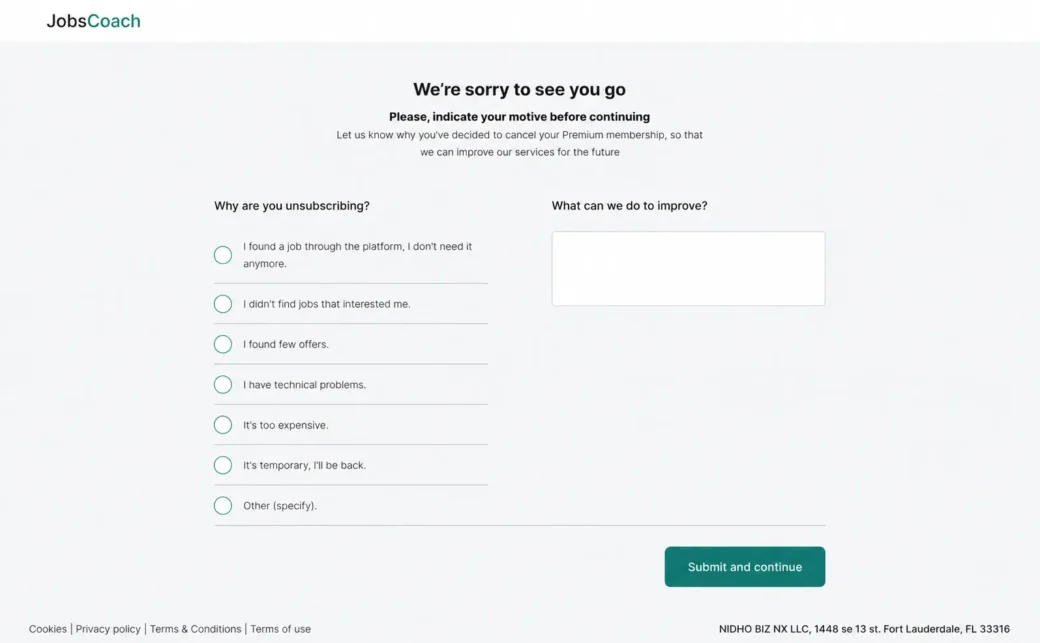
4- Fill out the form
Fill out the form indicating why you’re unsubscribing and what we can do to improve, then click the ‘Send feedback’ button.
5- Cancel Subscription
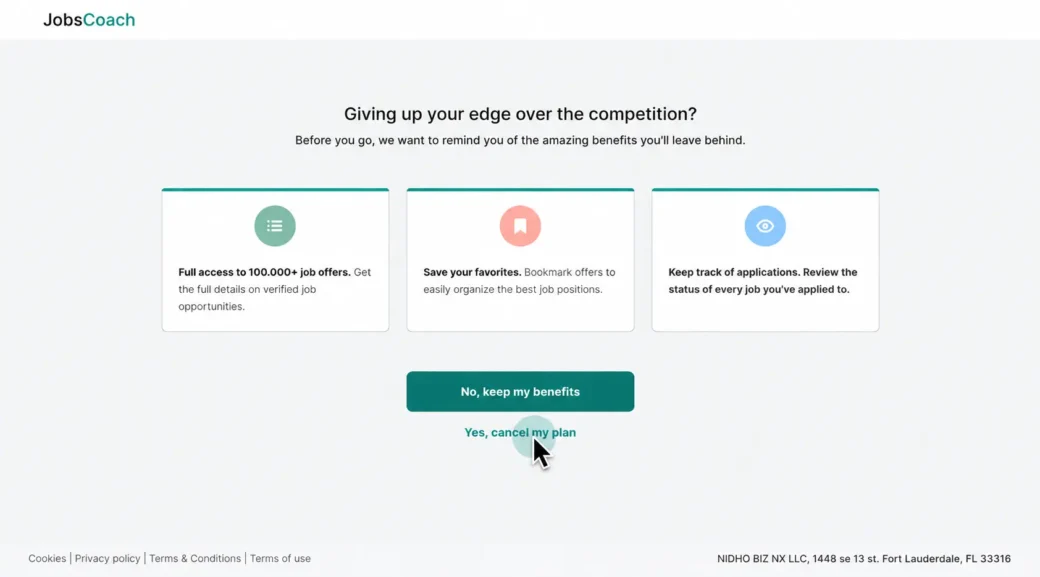
This will take you to the cancel subscription page that reminds you of the benefits you’ll leave behind. Here you can either click on ‘Yes, cancel my plan’ to cancel or return to the search for your remote, hybrid and/or on-site job.
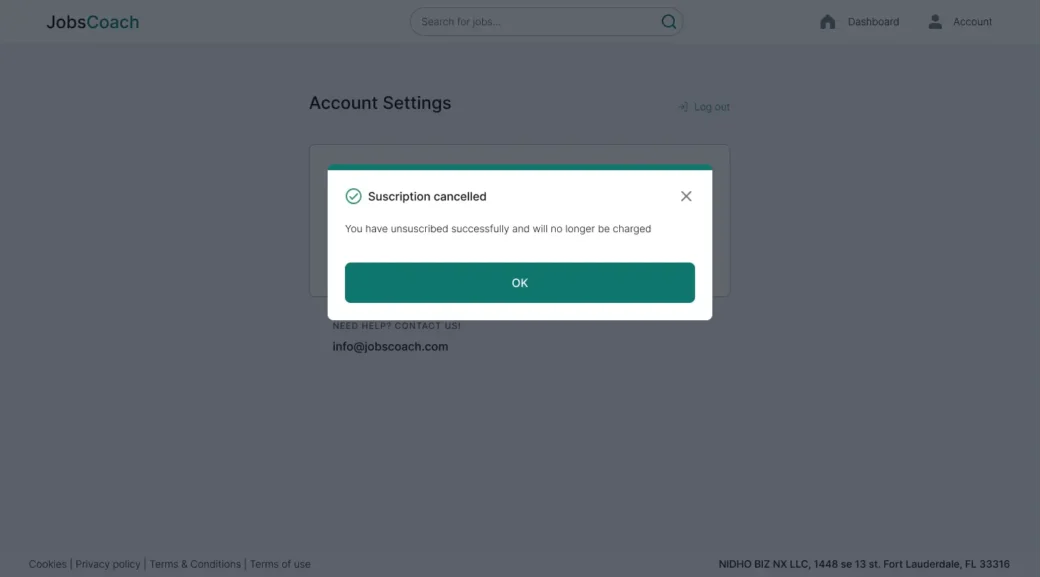
6- Confirm Unsubscribe
Lastly, you receive your cancelation confirmation.